SkillNG — A skills marketplace connecting Nigerian talent to real briefs.
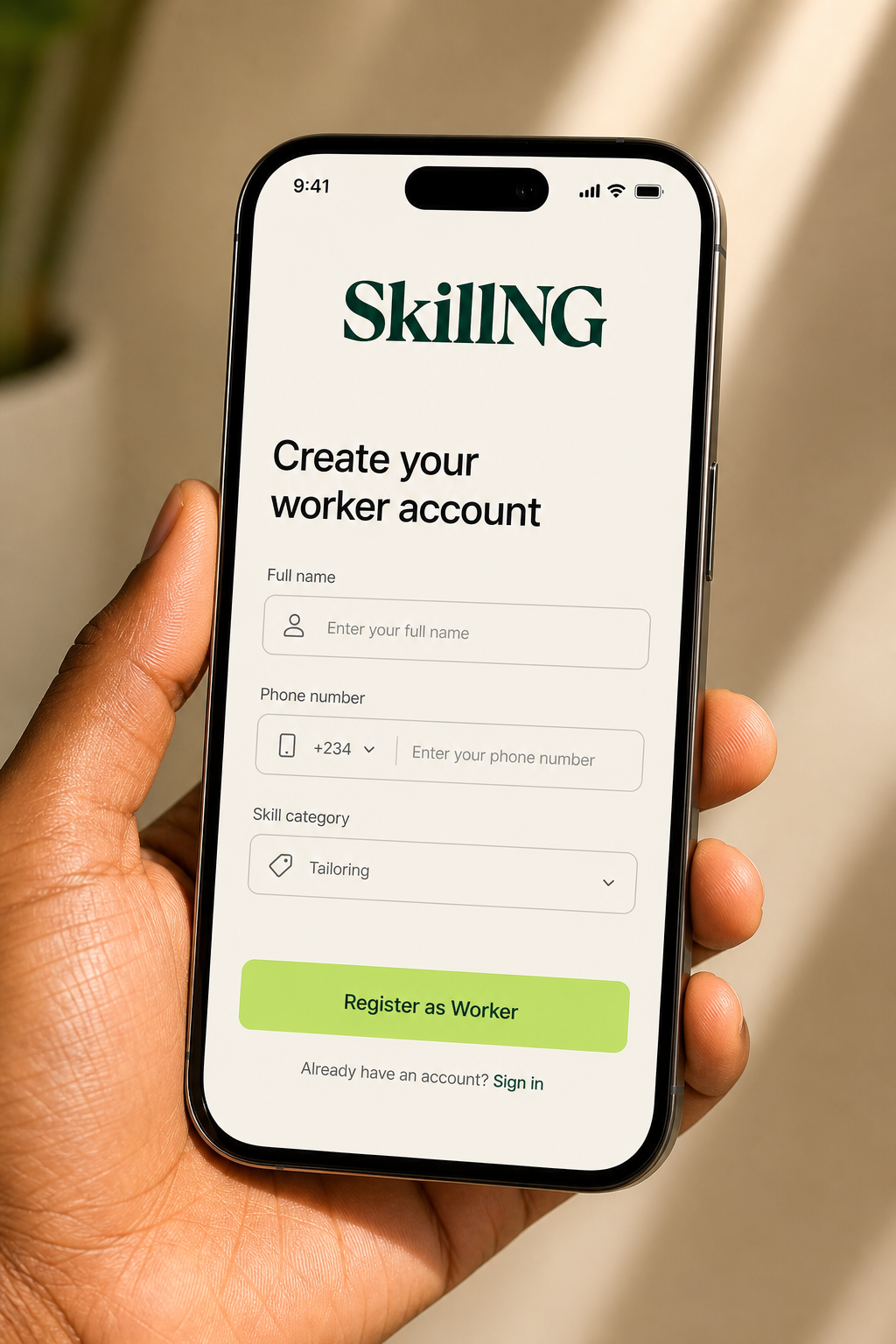
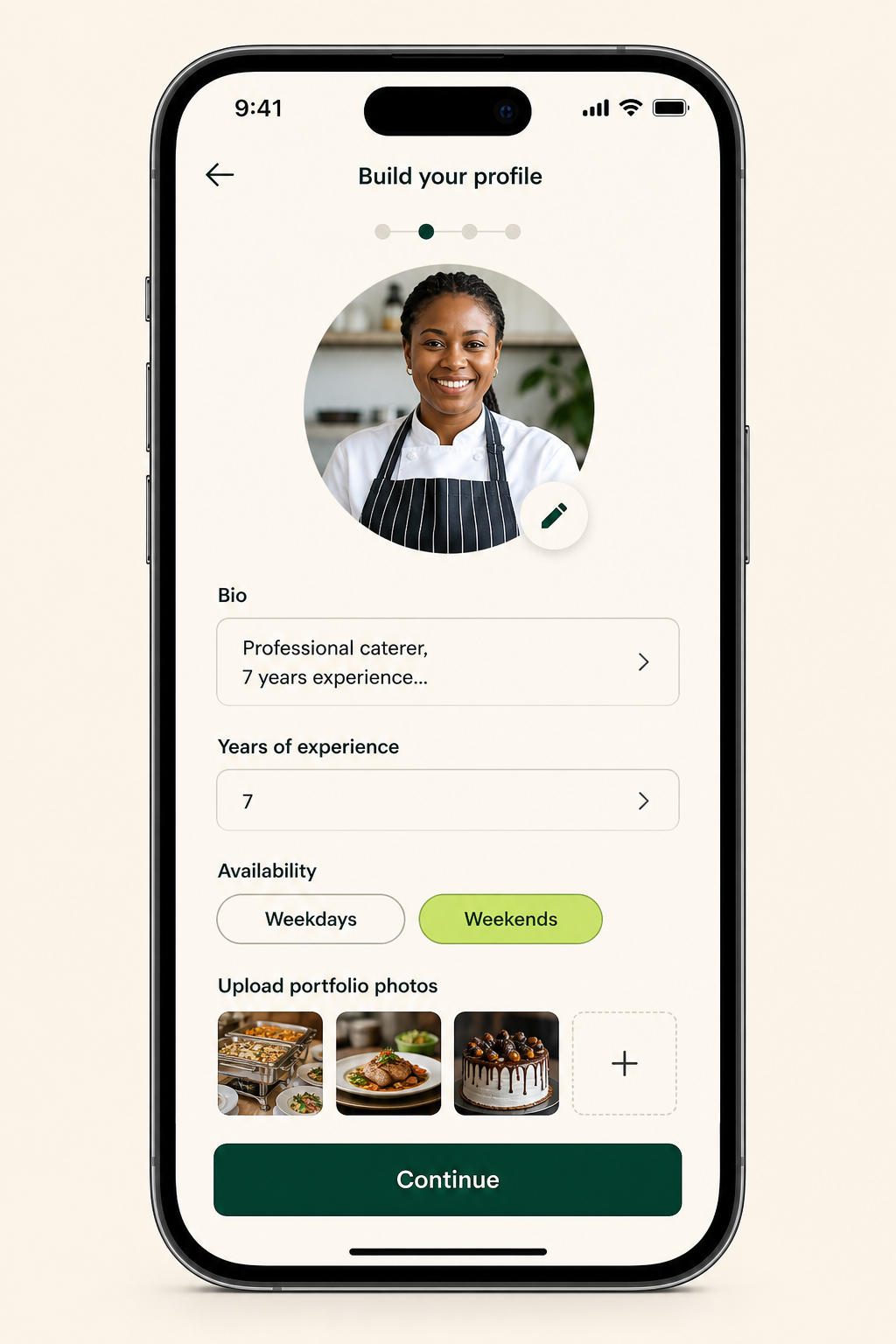
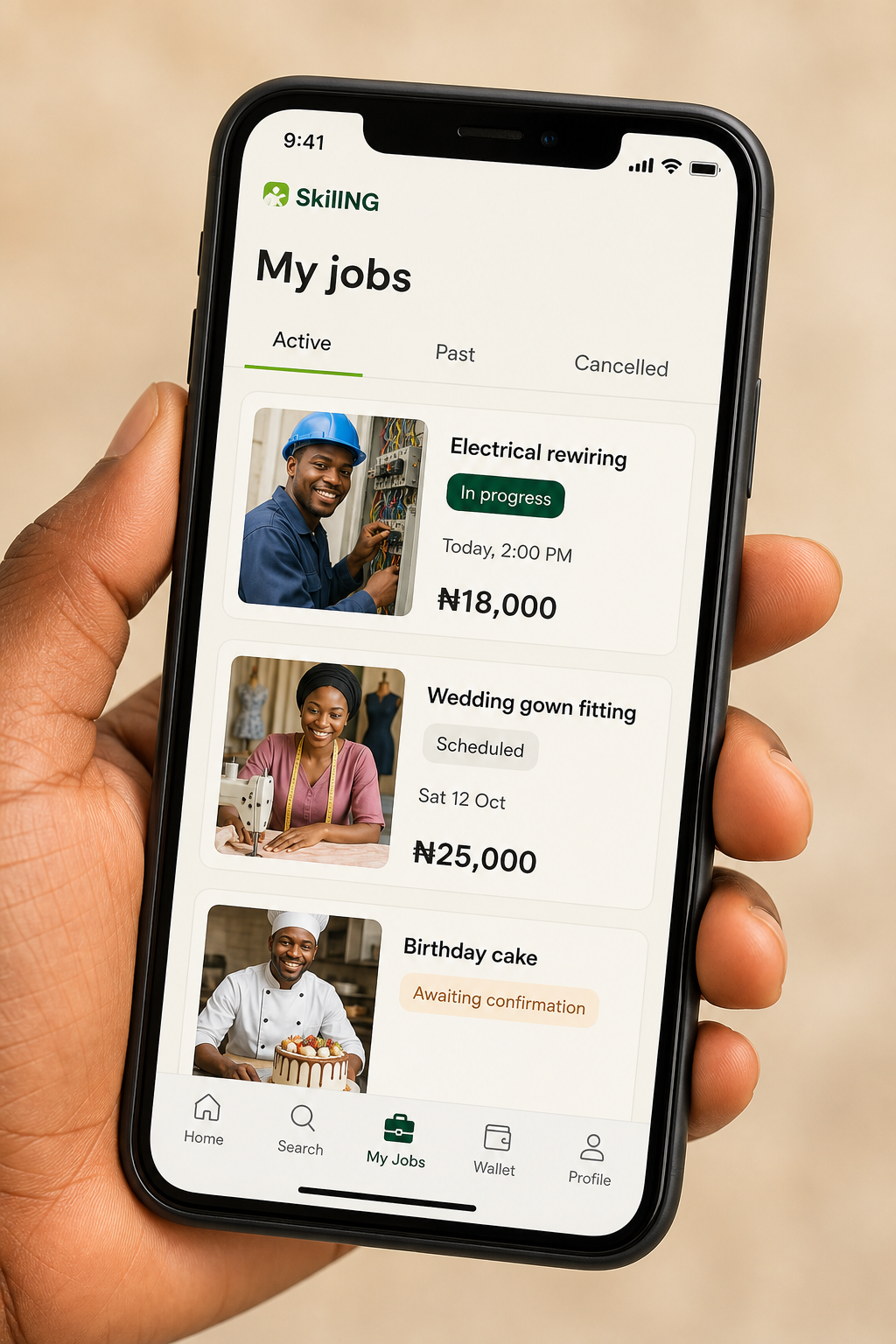
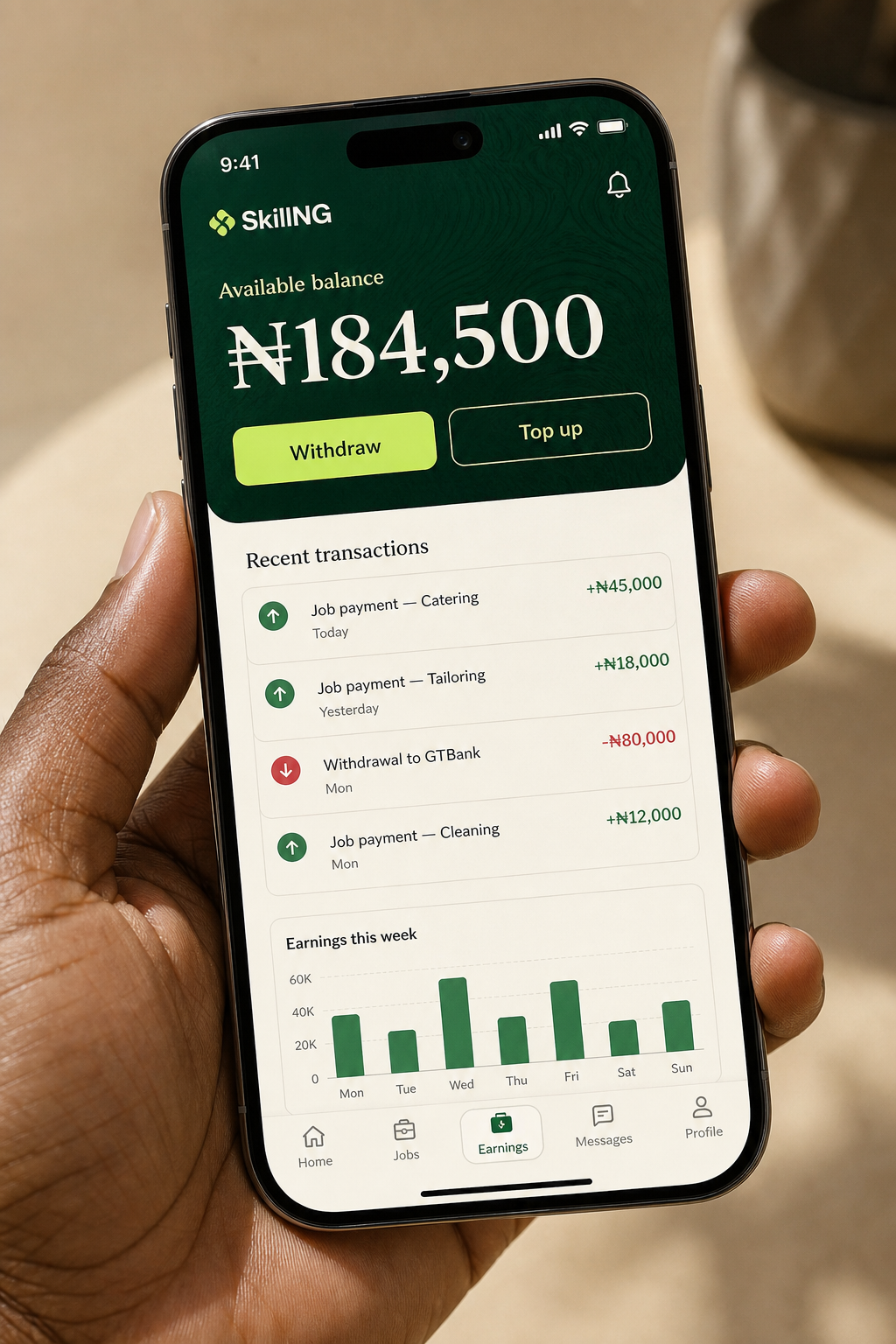
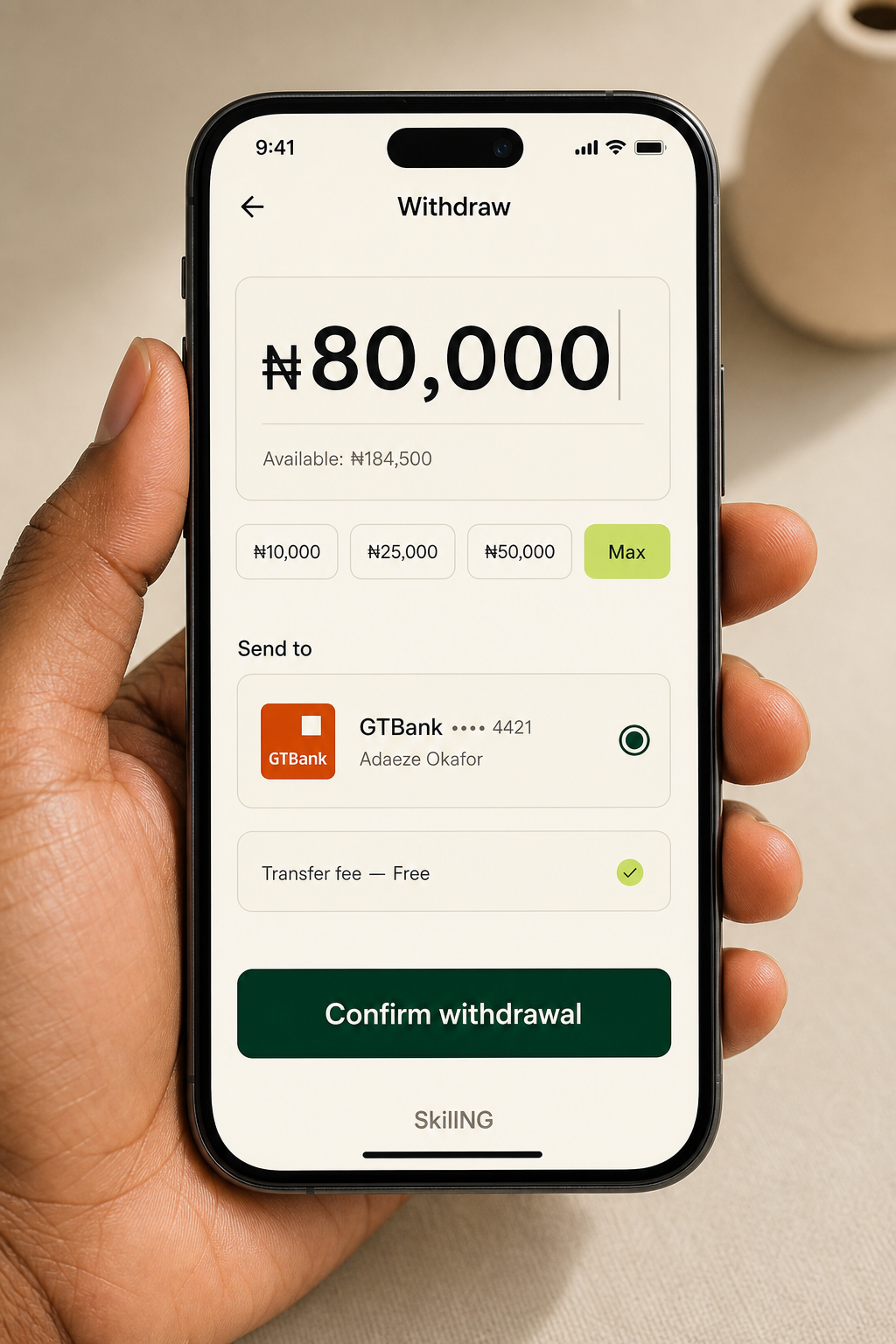
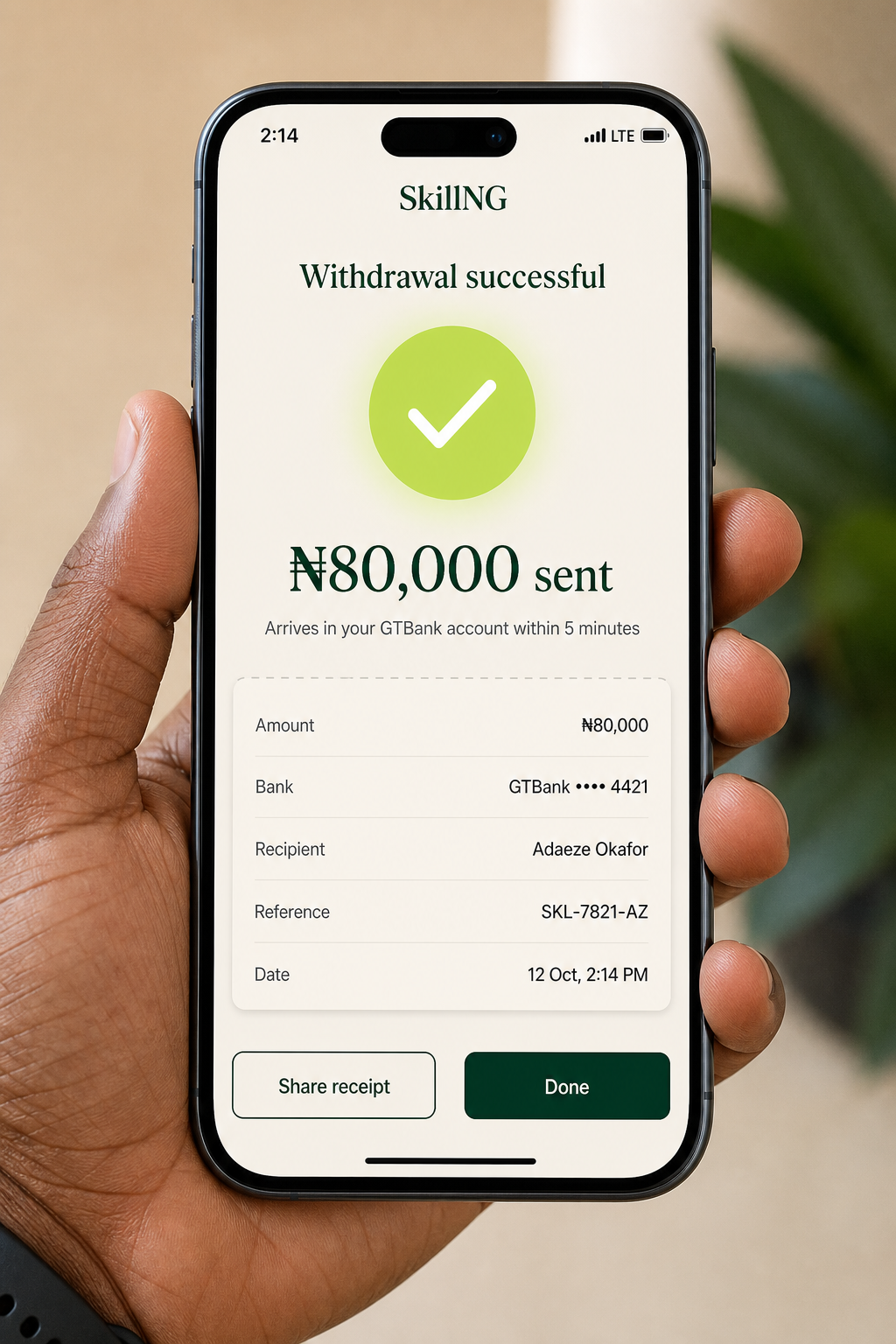
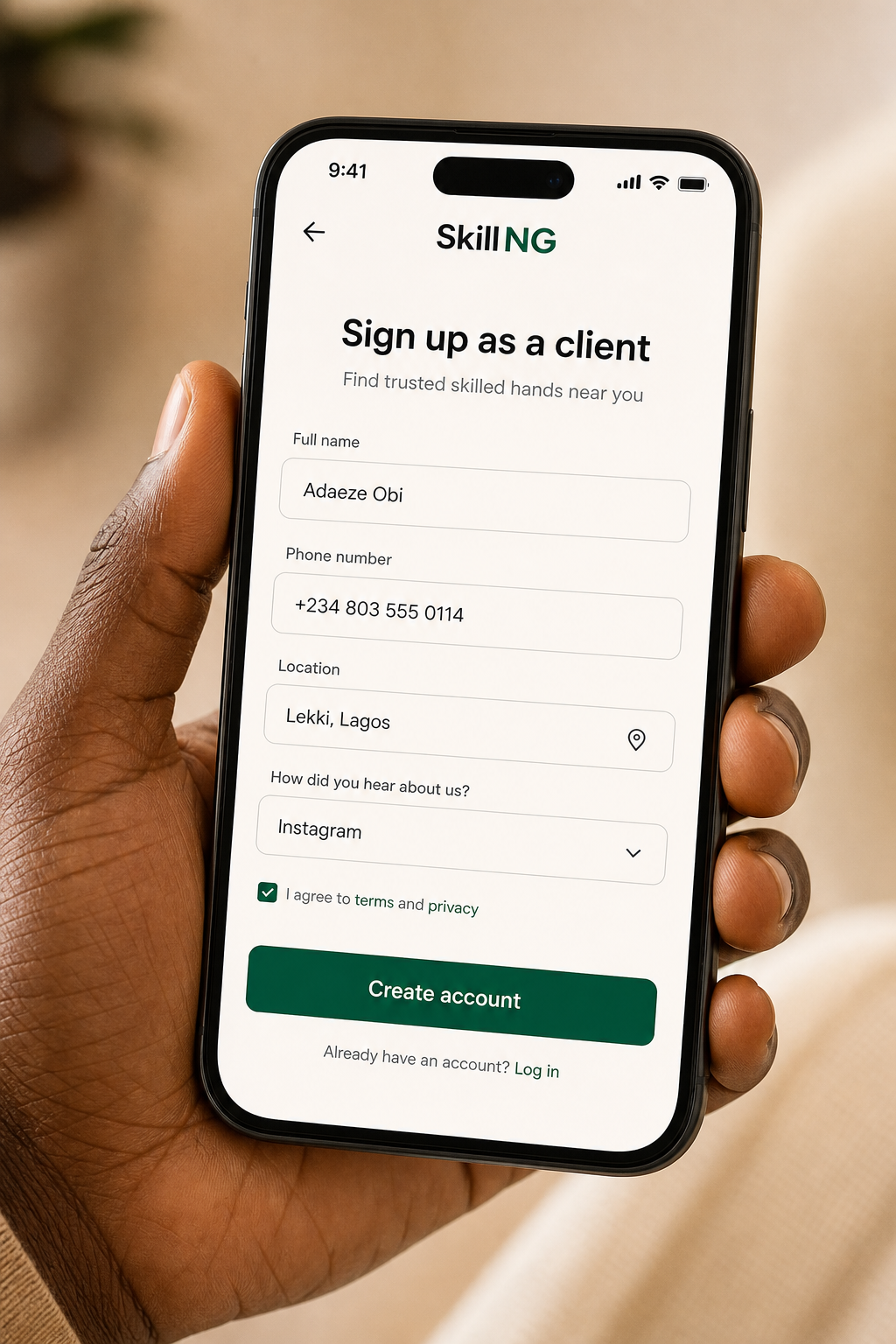
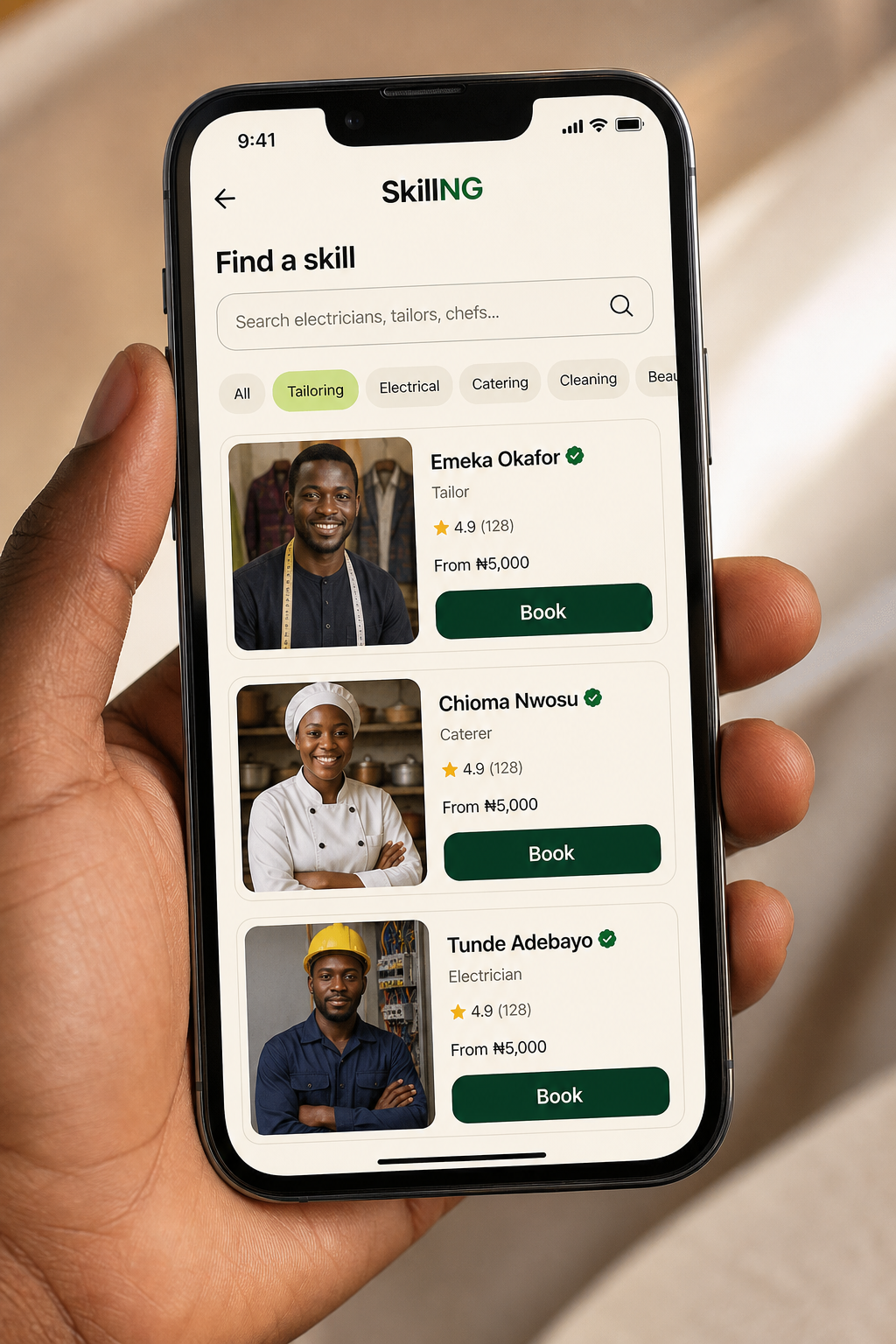
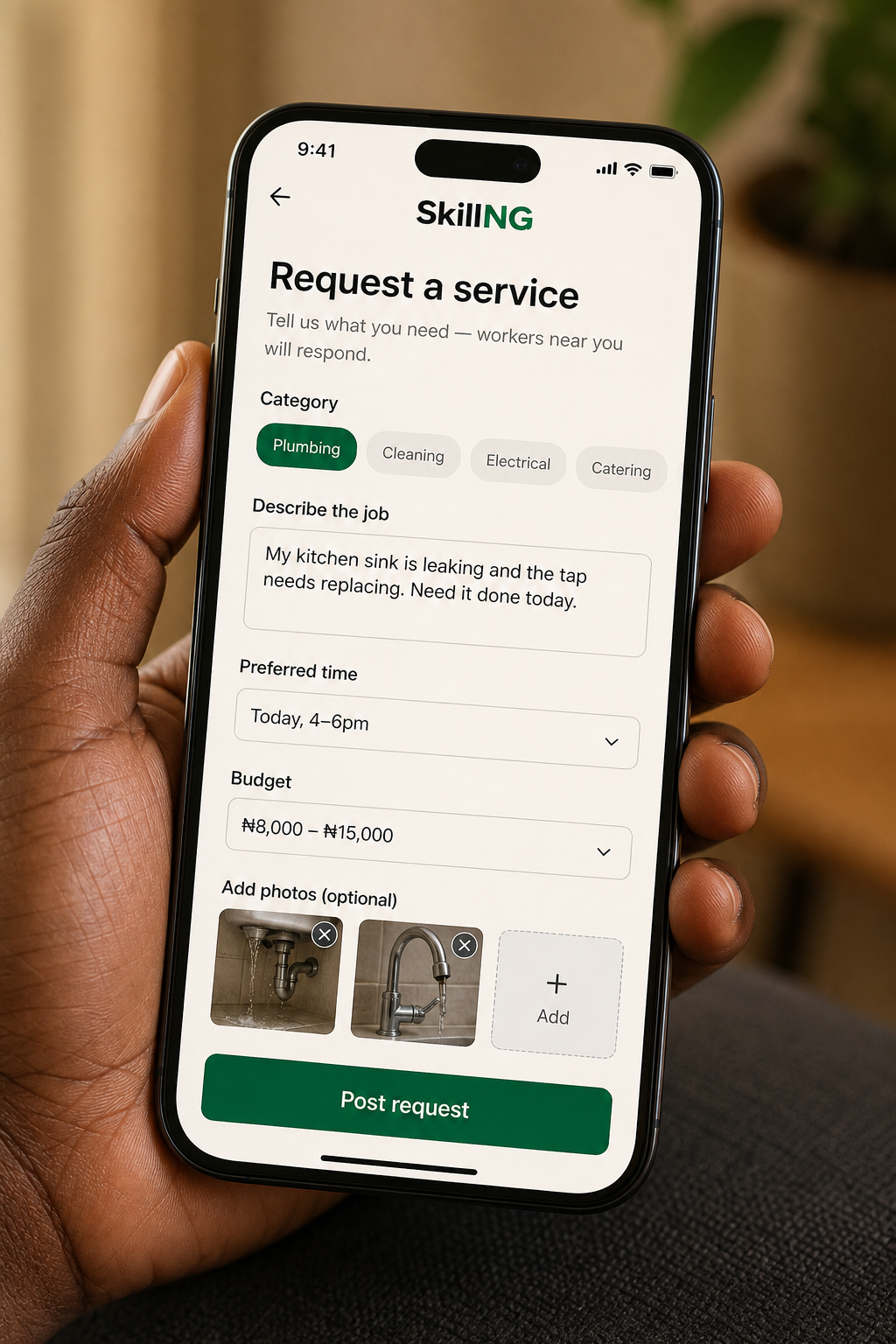
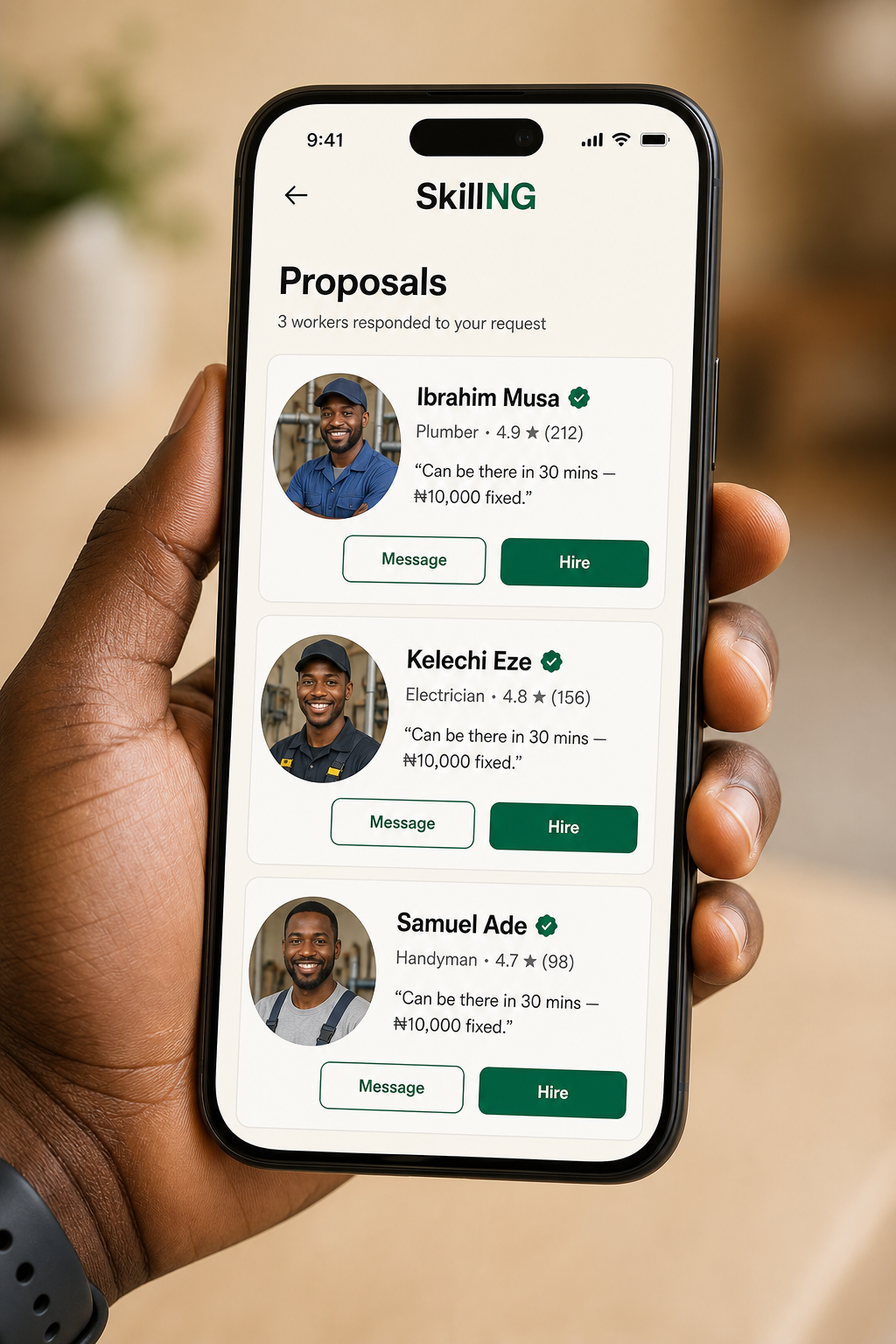
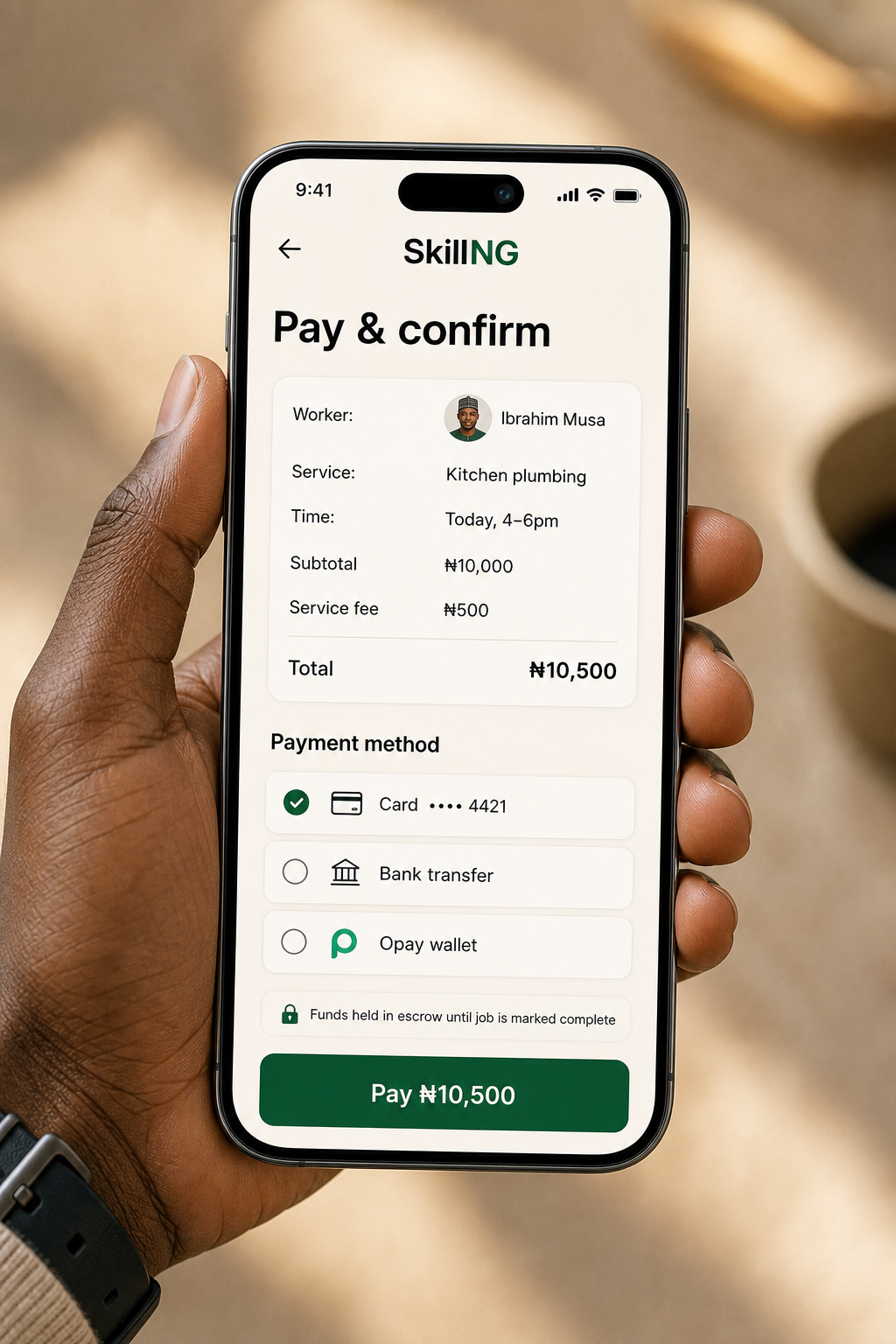
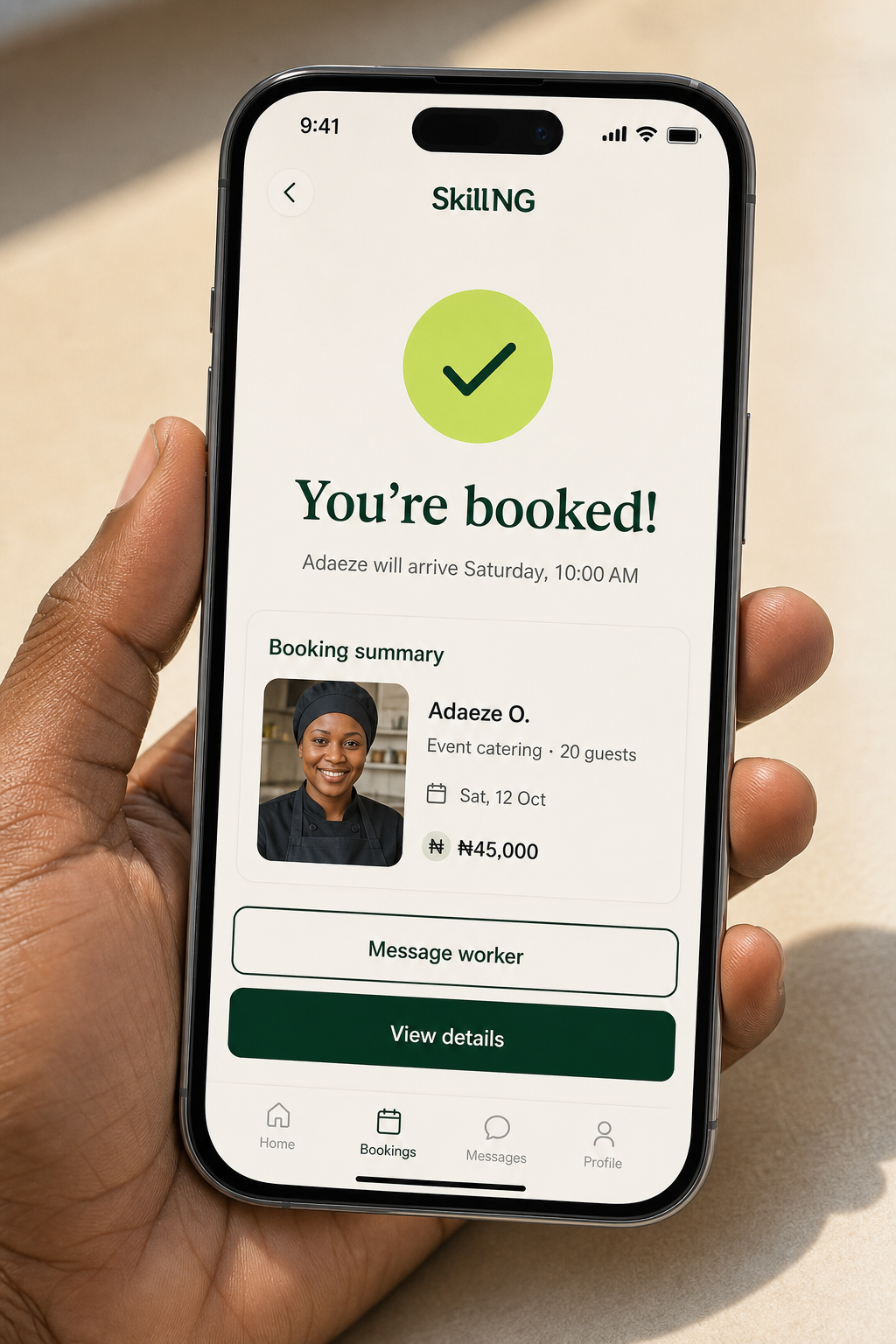
Designed the end-to-end flow on both sides of the marketplace — worker onboarding, earnings & withdrawals on one side, and client signup, service requests, proposals and escrow payment on the other.
- Problem
- Skilled creatives in Nigeria had no trusted way to surface paid briefs without leaving the country's payment rails.
- Role
- Product Manager — discovery, wireframes, PRD, launch.
What I learned
Designing both sides of a marketplace forced me to hold two mental models at once. My biggest lesson: trust isn't a screen — it's the sum of NIN verification, escrow, reviews and a clean receipt working together.
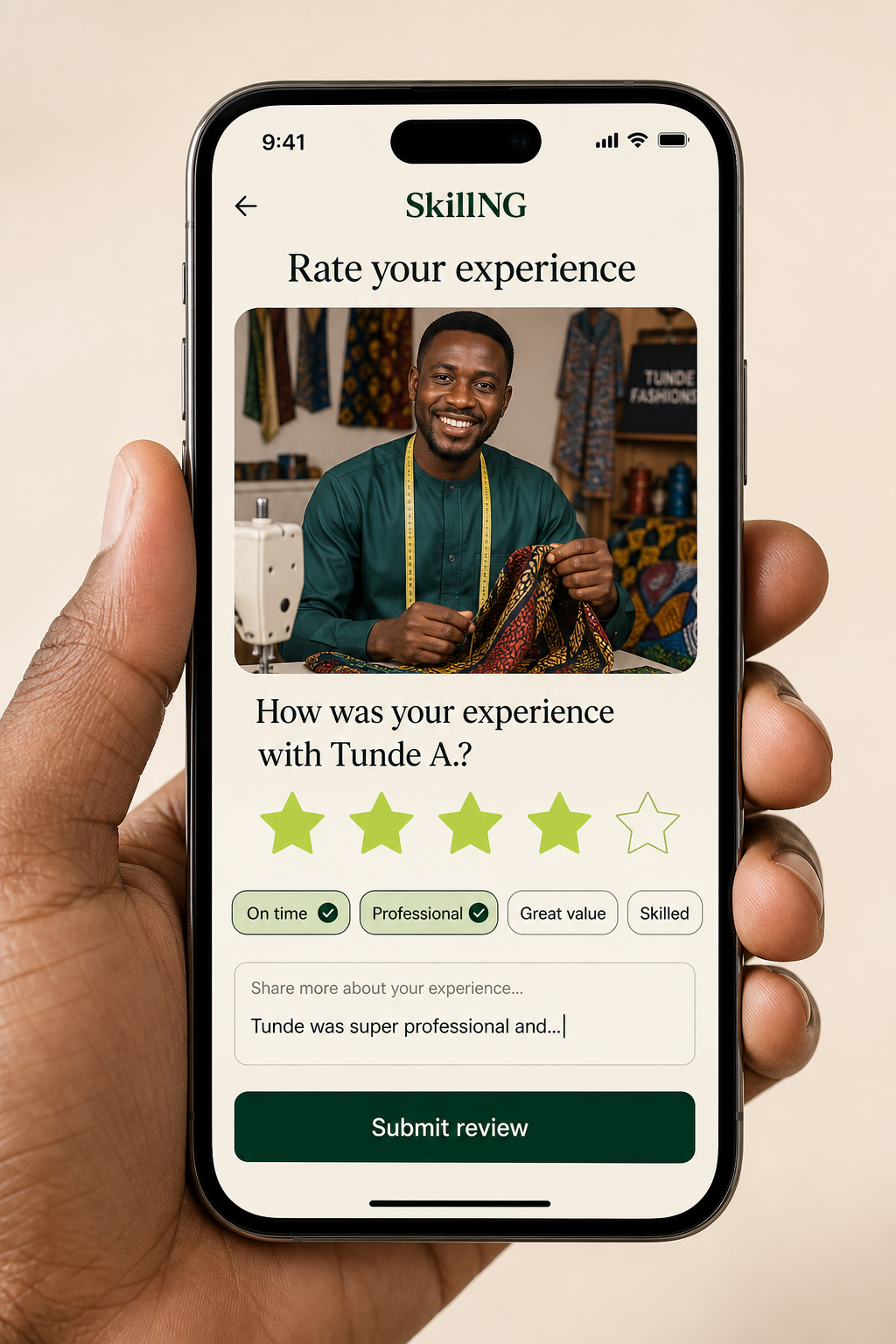
User flows
SkillNG — both sides of the marketplace
Hand-sketched V1 flows covering the client journey (book a worker) and the worker journey (get verified, accept jobs, get paid).
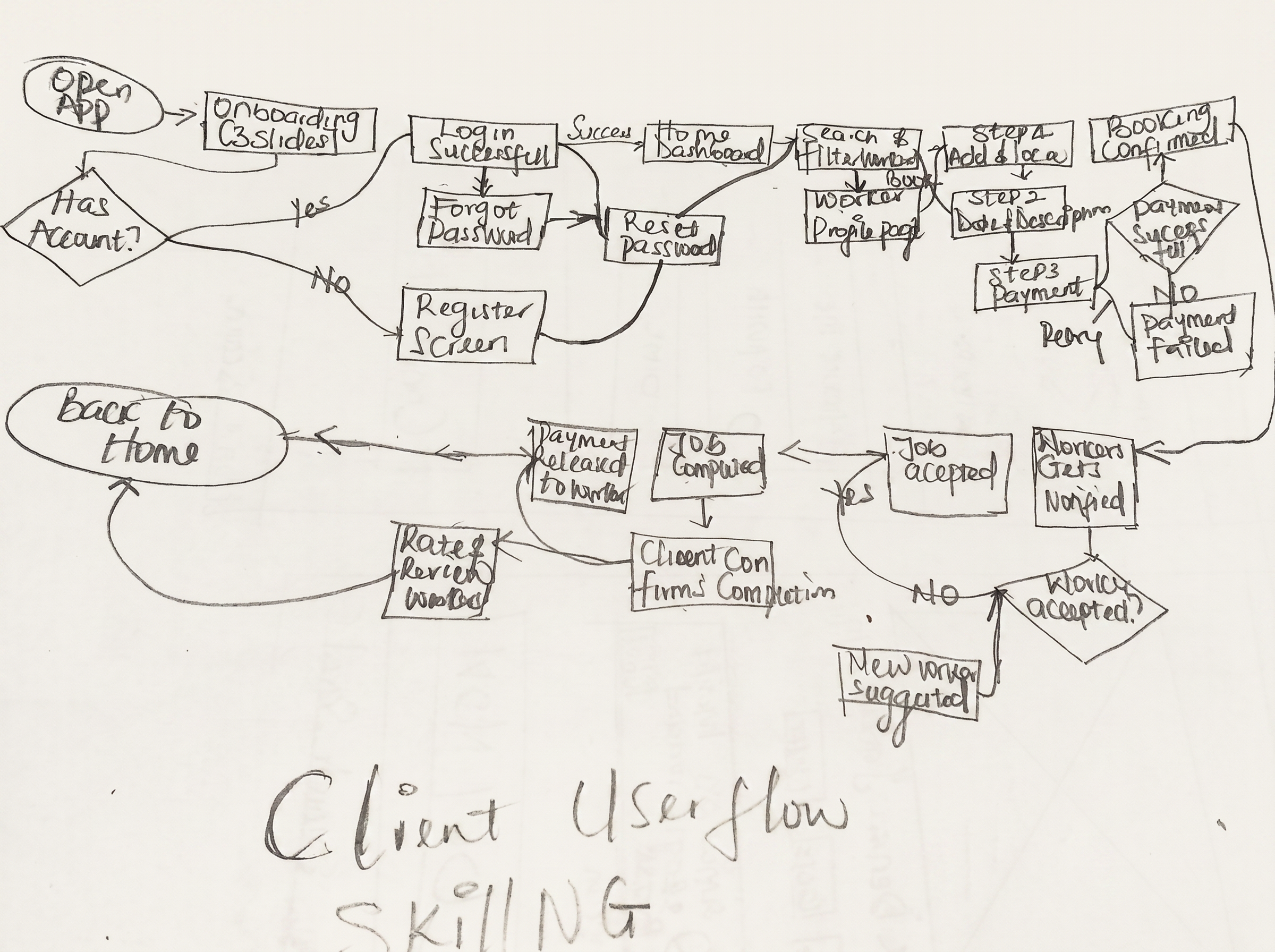
Fig. 1 — Client user flow
Open App → Onboarding → Login/Register → Home → Search & Filter Workers → Book (Location · Date · Payment) → Worker Notified → Job Accepted → Completed → Rate & Review.
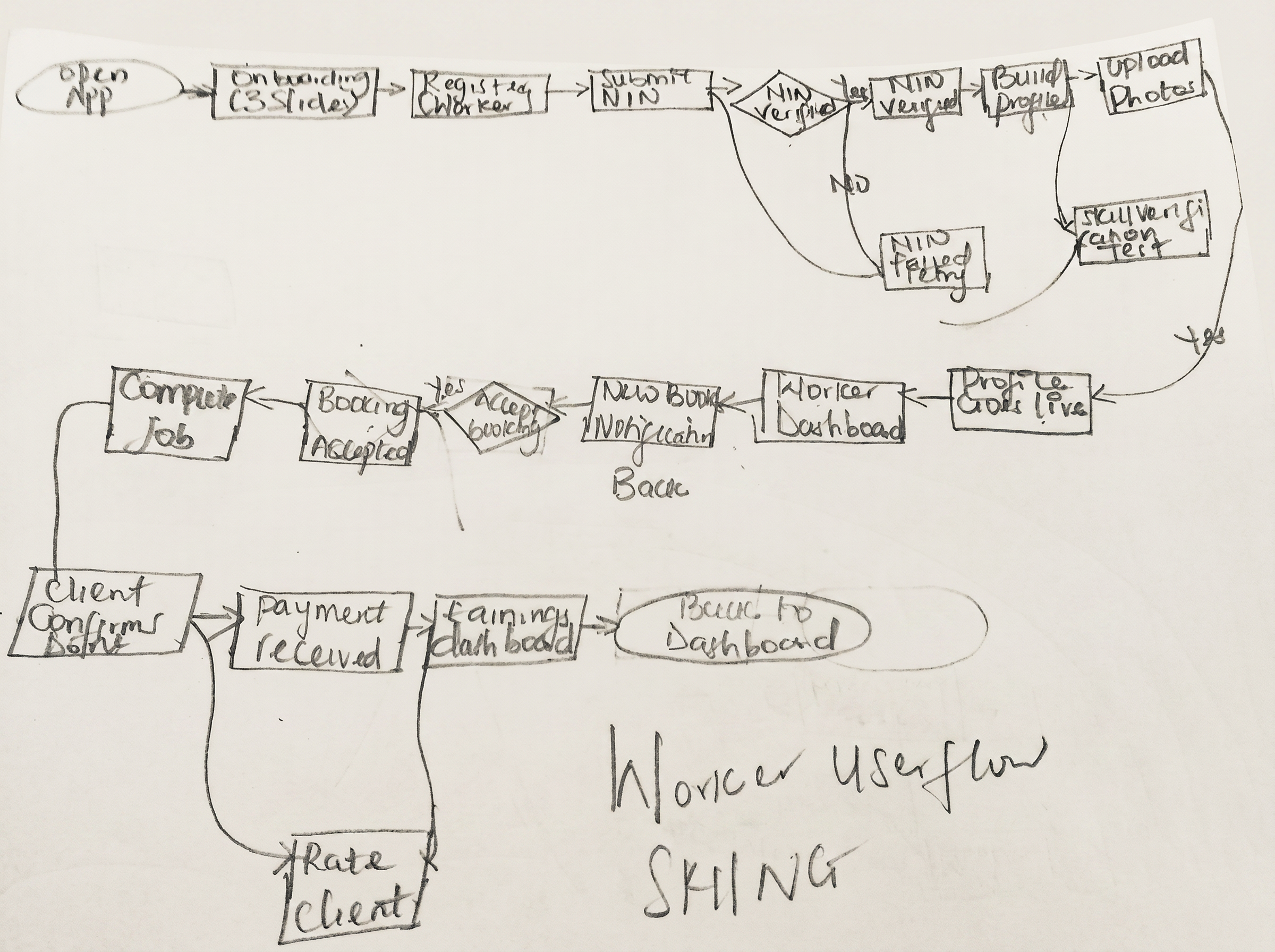
Fig. 2 — Worker user flow
Open App → Onboarding → Register Worker → Submit NIN → Skill Verification → Profile Goes Live → Dashboard → Accept Booking → Complete Job → Client Confirms → Payment Received → Earnings Dashboard.